
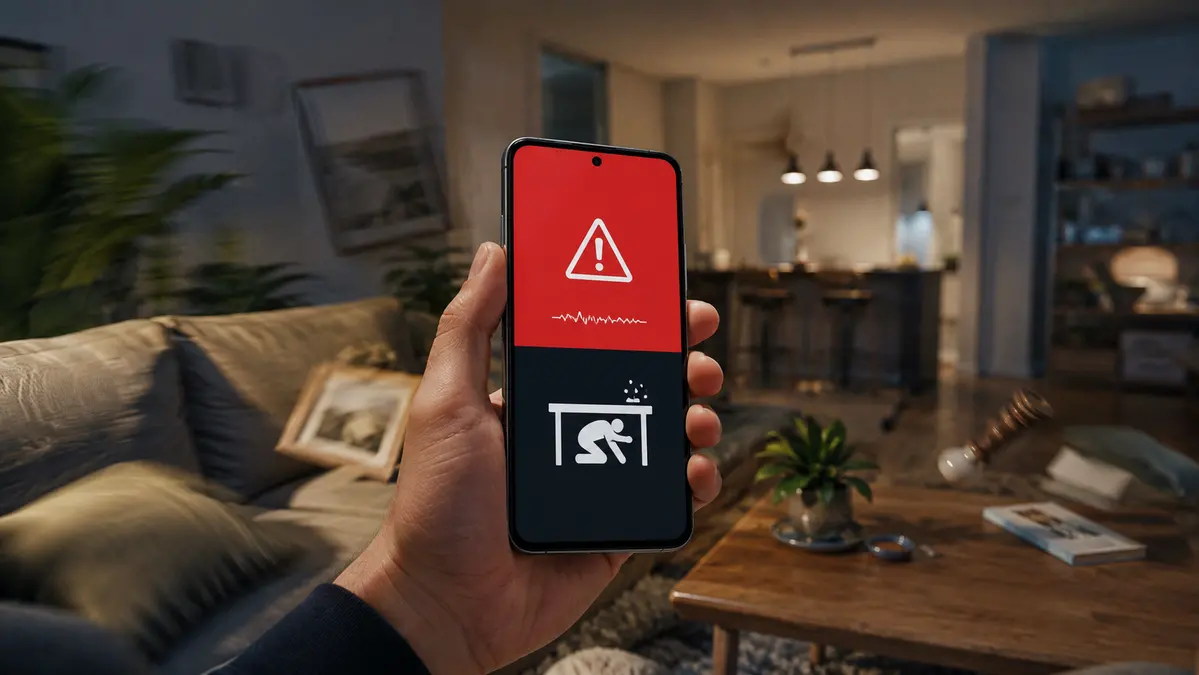
Android can give you a warning before stronger shaking arrives
Earthquakes cannot be predicted with certainty. No phone can tell you hours or days in advance that a major quake is about to happen.
But Android can still provide something valuable: a few seconds of warning before the strongest shaking reaches your location, when the system detects earthquake activity and determines that users nearby may be affected.
That feature became especially relevant after the powerful earthquakes that struck Venezuela on June 24, 2026. Reuters reported two major earthquakes, with magnitudes of 7.2 and 7.5, that caused severe damage, evacuations and emergency response efforts in Venezuela.
In a situation like that, even a short warning can matter. A few seconds are not enough to prepare everything, but they can be enough to move away from glass, get under a sturdy table or stop doing something dangerous.
Android does not predict earthquakes
The most important thing to understand is that Android is not predicting the earthquake before it begins.
The system works by detecting the first signals of shaking. Google explains that Android phones can act like small seismic sensors. When many devices in the same area detect movement that matches earthquake activity, the system can analyze that information and send alerts to nearby users.

This does not replace official emergency systems or professional seismic networks. It is an additional layer of warning that can help in places where Android Earthquake Alerts are available.
Why a few seconds can help
An earthquake alert is not meant to give you time to pack, leave calmly or search for more information online.
Its purpose is much simpler: help you take one immediate protective action.
A few seconds can help you:
Move away from windows.
Get away from shelves, mirrors or heavy objects.
Drop to the ground before the shaking knocks you down.
Cover your head and neck.
Get under a sturdy table or desk.
Stop using stairs or elevators.
Pull over safely if you are driving.
The warning is short, but in an earthquake the first seconds are often when people make the most dangerous decisions. Running, standing near glass or trying to record a video can increase the risk.
How to turn on earthquake alerts on Android
On most Android phones, earthquake alerts may already be turned on. Still, it is worth checking manually.
To enable them:
1. Open Settings on your Android phone.
2. Search for Earthquake alerts.
3. Open the earthquake alerts option.
4. Turn the feature on.
Google’s Android Help also recommends using the Settings search bar directly, because the exact menu name can change depending on the phone brand and Android version.
On some devices, you may also find it through:
1. Open Settings.
2. Go to Safety & emergency.
3. Tap Earthquake alerts.
4. Turn alerts on.
If that path does not appear, try:
1. Open Settings.
2. Go to Location.
3. Open Location services.
4. Look for Earthquake alerts.
5. Turn the option on.
What your phone needs for alerts to work
Android earthquake alerts require more than just the setting being enabled.
Google says users need Wi-Fi or mobile data connectivity, location settings enabled and Android Earthquake Alerts turned on. Alerts are sent using an approximate, privacy-preserving location so the system can decide which devices should receive the warning.
There are also limits. The feature is not available everywhere, and it may not detect every earthquake. It is possible to receive an alert and feel little shaking, or to feel shaking without receiving an alert.
That does not mean the system is useless. It means users should treat it as an extra safety tool, not as a guarantee.
What an Android earthquake alert can show
Android can show different types of earthquake warnings depending on the expected intensity.
A lower-level alert may appear when light shaking is expected. A stronger alert is designed to get your attention quickly when moderate or strong shaking may arrive.
In those cases, the phone can display a full-screen warning, play a loud sound and show quick safety instructions.
The goal is not to scare users. The goal is to interrupt whatever they are doing so they can protect themselves immediately.
What to do if you receive an earthquake alert
If an earthquake alert appears on your Android phone, do not waste time refreshing social media, calling someone or searching for confirmation.
Protect yourself first.
The basic safety rule is:
Drop. Cover. Hold on.
Drop to the ground before the shaking knocks you down.
Cover your head and neck under a sturdy table or near a safer structure.
Hold on until the shaking stops.
If you are indoors, do not run outside while the building is shaking. Falling glass, walls, balconies, debris and stairways can be extremely dangerous during a strong quake.
If you are in bed, stay there and protect your head with a pillow unless there is a heavy object above you.
If you are outside, move away from buildings, power lines, trees, poles and glass.
If you are driving, slow down carefully, pull over in a safe open area if possible and stay inside the vehicle until the shaking ends.
What you should not do during a quake
Do not use elevators.
Do not run down stairs while shaking is happening.
Do not stand near windows.
Do not try to film the earthquake before protecting yourself.
Do not assume a doorway is always the safest place.
Do not go back into a damaged building until authorities or professionals say it is safe.
Do not stand near walls, balconies, power lines or unstable structures.
Technology can warn you, but it cannot make the decision for you. The most important part is knowing what to do before the alert arrives.
What to do after the shaking stops
Once the movement ends, check yourself and the people nearby for injuries.
If you smell gas, do not turn lights on or off, do not use matches and leave the area if it is safe to do so.
Stay away from damaged structures, broken glass and fallen cables.
Use text messages or internet-based communication if phone lines are overloaded.
Follow local emergency instructions and be prepared for aftershocks.
It is also useful to keep basic emergency items ready: a flashlight, power bank, drinking water, important documents, medication and emergency contacts.
Why this matters after Venezuela
The earthquakes in Venezuela showed how fast a normal day can turn into an emergency. Strong shaking can begin suddenly, communications can fail and people may have only seconds to react.
Android’s earthquake alert system is not perfect, and it does not work everywhere. But turning it on is a simple step that can give users an extra layer of protection.
Those seconds will not stop an earthquake. But they may give someone enough time to get under a table, move away from glass or avoid a dangerous staircase.
In an emergency, that can be the difference between reacting blindly and reacting with a plan.





Comments
💬 Log in to comment💬 Join the conversation and log in to comment.